How to Create an OnlyFans Profile Picture: Size, Format, and Pics Rules
So, you're considering creating an OnlyFans account or perhaps already have one and feel like doing a little promotion. That's awesome! You're probably buzzing with ideas on the type of content you want to produce.
Wait a minute. Take a moment to read these words, as they are very important before you begin creating content. It's the first thing anybody will see: your profile picture.
You may say, "It is a small circle, how will it matter?" Well, that little circle is a huge deal. It's like the 24/7 door to your home. It's an initial hello, a first handshake, a first smile.
Your OnlyFans profile picture is a digital first impression, and we all know what they say about those: you only get one chance to make it count. There are even OnlyFans search engines that focus on finding creators by look-alike images.
It's the short sample that can prompt them to stop scrolling and think, "Hmm, I want to see more of this person." It can turn a casual visitor into a regular subscriber.
In this guide, we will go through everything you need to know. It is not about taking a selfie in a flash. We'll get into the details. We will discuss the ideal size, ideal format, dos and don'ts, as well as some creative ideas to keep you thinking.
Shall we?
Why do you need a great profile picture for OnlyFans?
Okay, now let's get down to it. Why is this small image such a tremendously important thing? Imagine you're walking on a store-lined road. Which of the two are you more likely to enter?
The obviously old, grimy window with the faded signboard, or the enticing, bright display that provides a clear idea of what's inside? That shop is your OnlyFans profile, and that window display is your profile picture.
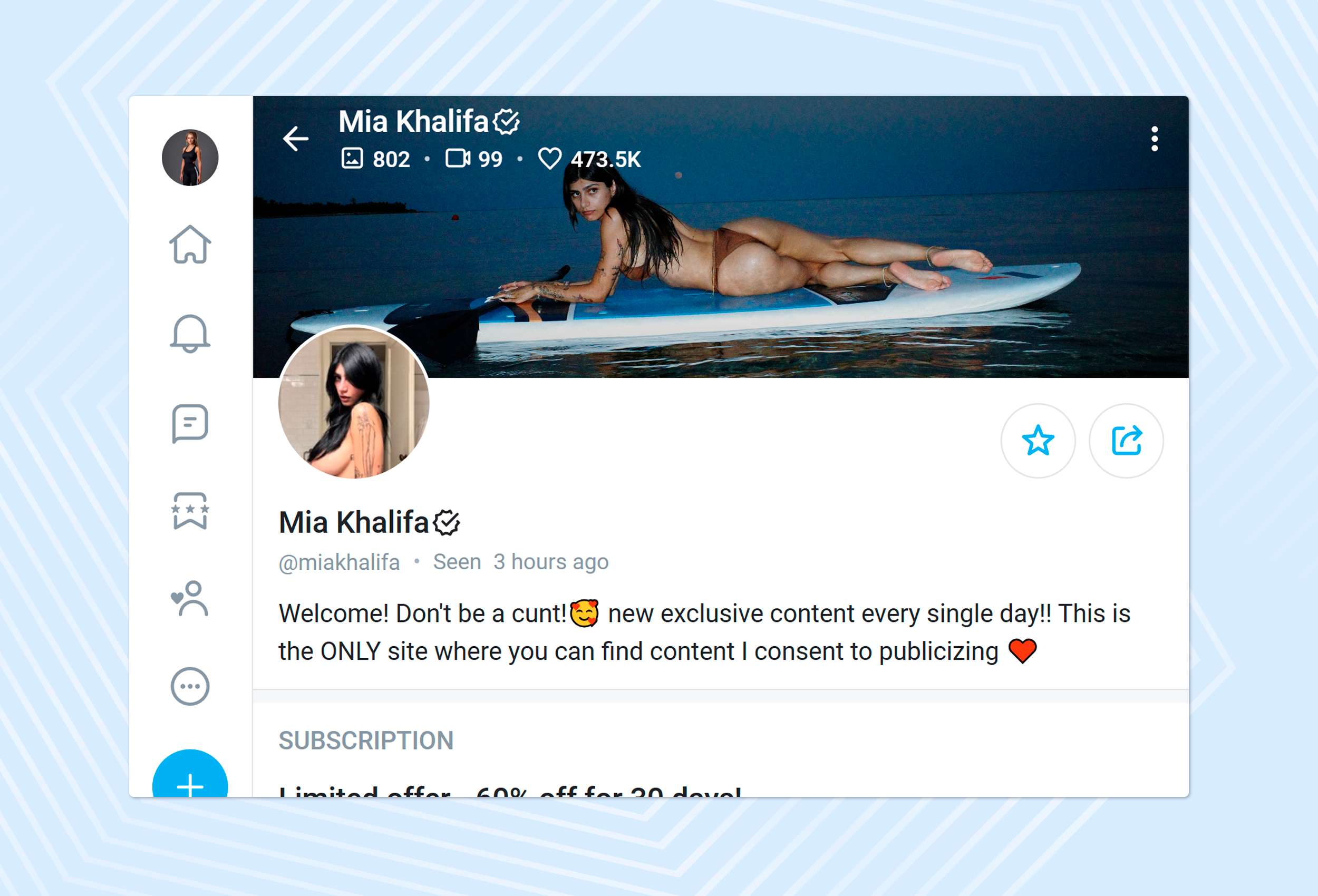
The first thing potential fans see is your profile picture. It is their first impression of your brand and your content. Whether they see your subscription price or read through your bio, their eye is drawn to that picture.
In that split second, they're making a judgment. They are making decisions that determine whether you seem interesting, trustworthy, and worth their time and money.
An excellent profile photo creates initial interest and credibility. It tells potential followers that you are a professional and serious OnlyFans creator who invests in the work you do. It implies that if your profile picture must be this fantastic, your actual content must be amazing.
What is the correct size and format for an OnlyFans profile picture?
The first step in creating your OnlyFans profile picture is determining the size and format. The minimum OnlyFans profile photo size is 400 x 400 pixels, or, in other words, a square.
Bigger sizes, such as 800x800 or 1080x1080, are even better because they ensure your image will be sharp on any device.
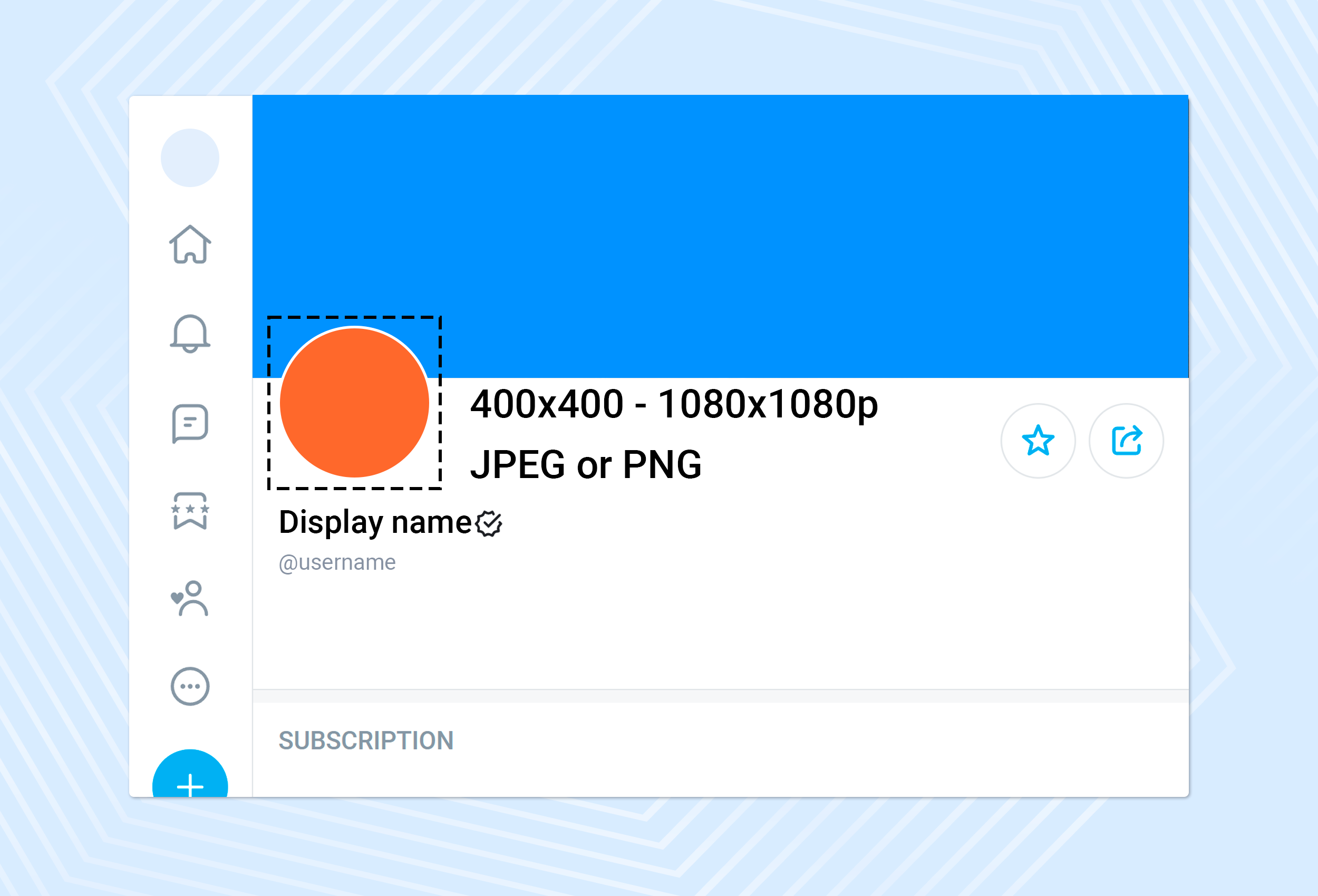
Remember that OnlyFans crops your square photo into a circle. This requires that you intentionally place the most important element of your image, such as your face, logo, or main subject, so that nothing is cut off at the edges.
As for format, both JPEG and PNG are acceptable. Photos should be in JPEG format, and graphics or logos should be in PNG format.
OnlyFans profile pic rules
Like any other platform, OnlyFans also has a few rules and best practices to follow when choosing your profile picture.
Consider them more like casual guidelines than strict rules to form the best possible first impression. Not only will it help you stay out of trouble, but it will also help you attract the right type of attention from potential subscribers.
Use a high-quality image
This is a must. Seriously. The nature of the profile picture can be seen as an indicator of the quality of the content. When your PFP is unclear, unintelligible, or grainy, what does that say about the content people will have to pay to view?
It suggests low effort and poor quality. You want to use a high-quality, clear, and crisp photo. And you don't need a professional camera; modern smartphone cameras are amazing! Good lighting is the trick.
Your best friend is natural light. Stand in front of a window, or on a slightly overcast day when the light is soft and flattering, without harsh shadows. Ensure that the picture is focused. A professional, high-resolution, sharp image appears professional and welcoming.
Show your face
This may be a delicate subject if you are new to OnlyFans and care about privacy. Here's the thing, though—showing your face on OnlyFans is one of the most powerful actions to establish trust and connection.
Human beings relate with human beings. When you appear natural and approachable (with a smile and eye contact), it is likely to build loyalty and increase subscriptions.
Naturally, if you don't feel comfortable, that is also absolutely normal. Of course, later, we will consider options on how you can make an OnlyFans profile picture without displaying your face. And yet, even an alluring or bold look can make a tremendous difference if you're open to it.
Place your face or critical element in the centre
As OnlyFans crops your square photo into a circle, it is essential to place the most important element of your picture at the centre. If it's your face, don't put it too close to the edge. It should also be centered, whether it's a logo or other object.
You can check with ease through an editing application—crop your picture into a square shape, and draw a mental circle in it. Keep some headroom around the thing you focus on so nothing important gets cut off. This will make your OnlyFans profile photo look clean, professional, and perfectly framed.
Avoid explicit content
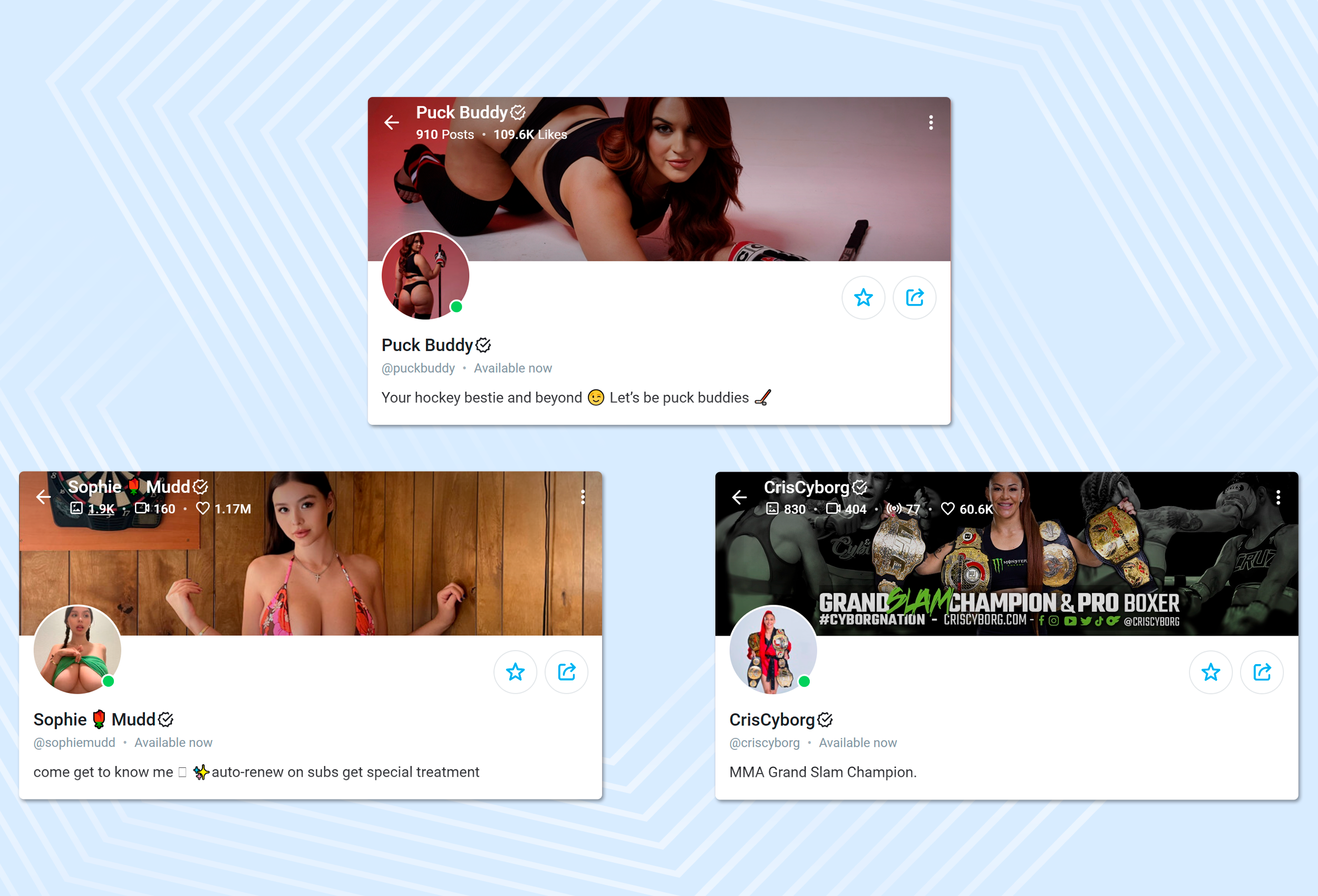
Here is a major rule: your profile picture and OnlyFans banner are visible to everybody. Anyone can view them even without an account, and hence, OnlyFans is careful about what you post. No nudity, no sexually suggestive poses, and nothing contrary to their terms of service.
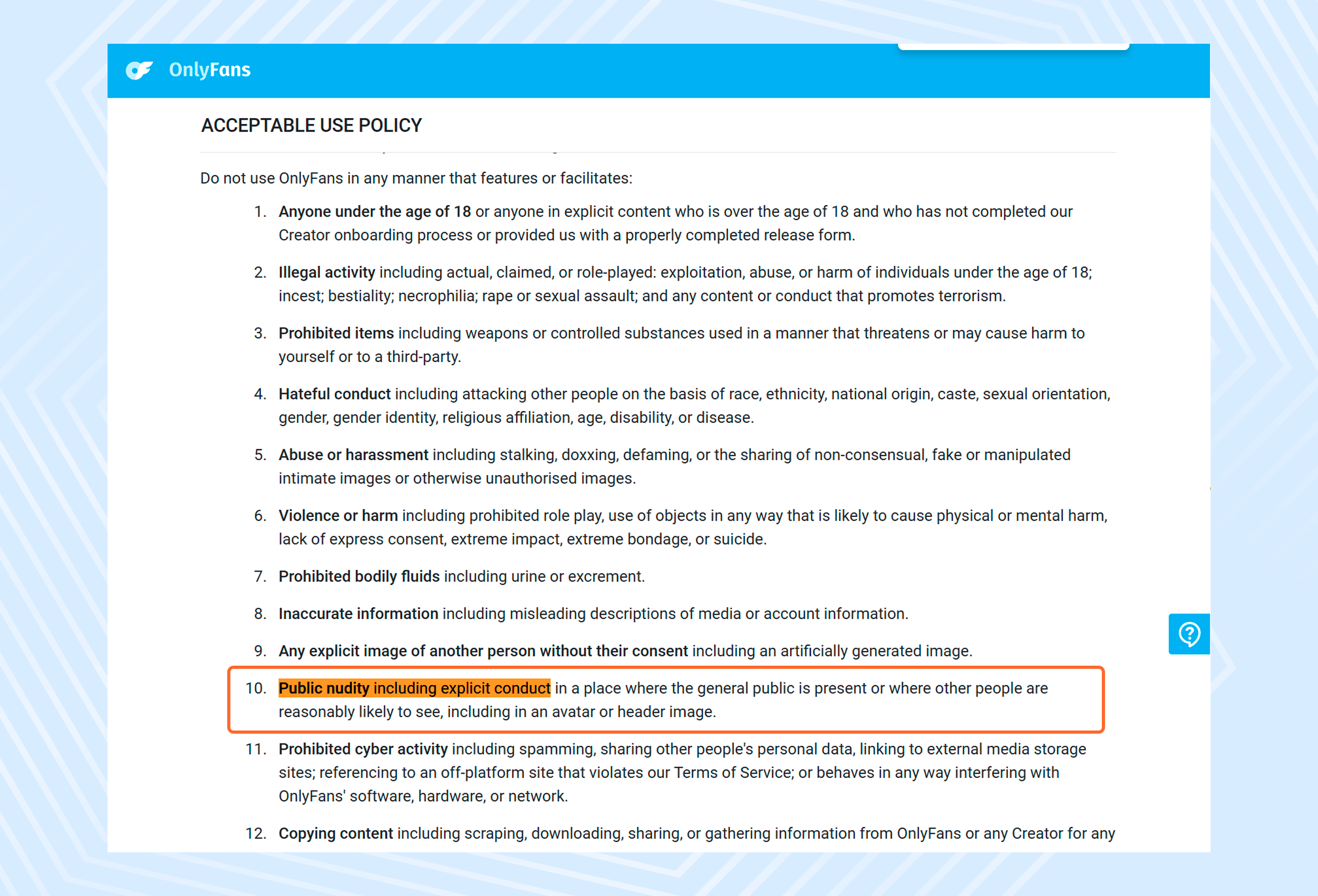
Uploading explicit content may result in your image being blocked—or worse, your account can be blocked. Rather, make your avatar Safe For Work (SFW). It should be appealing, professional, and consistent with your brand without crossing any lines. Keep your adult content behind a paywall, where subscribers must pay to view it.
Stay true to your niche and branding
Your profile photo on OnlyFans must serve as a kind of advertisement for your page. It gives prospective subscribers a taste of the kind of content and vibe they can expect from you. Keep it consistent with your brand.
For example, workout creators may include a shot of themselves in their workout attire, gamers may show off a headset or a stylized avatar, and musicians can add a photo of their instrument.
Consider your general aesthetic —whether it's cute and bubbly, dark and edgy, or glam and chic —and ensure that your profile picture aligns with it. Consistency between your PFP and banner builds trust, strengthens your brand, and attracts the right audience.
Keep it simple
At times, less is more. Although it may be tempting to have a fairly intricate or cluttered background, it tends to be distracting. You are the show! Your main subject should be in the frame.
A simple, minimalist background allows the main subject or face to stand out. A bare colored wall, a blurry indoor landscape, or a plain studio background can work miracles.
The small circular profile picture can look messy and cluttered in busy backgrounds. It can be difficult for someone to quickly understand what the picture is about.
A simple background helps prospective fans concentrate on you. This enhances the picture and makes it more effective and memorable. You have a millisecond to catch someone's attention, so keep that in mind. Don't waste it by forcing them to guess about what is happening in a cluttered photograph.
Be authentic
In a world of creators, the only thing that is actually going to help you stand out is you. What you have that's truly special is your personality. Just be yourself. Make your profile picture reflect your personality.
Do you like to goof around? You can show that with a natural laugh or a playful pose. Are you more serious and thoughtful? Then a more traditional portrait might be right for you.
Trust is built on authenticity. Fans are drawn to real people. They desire to relate to the human behind the content. When your profile photo is genuine, people connect with you better and can trust you.
And don't simply choose a photo based on what you think people want to see. Select a photo that you feel represents you. Be real, and you will have an audience that admires you as you truly are, and those followers will stick with you longer.
Update strategically
You may have your profile picture in line with your brand, but that doesn't mean you have to keep that picture forever. In fact, updating it occasionally can be a great approach.
Changing your picture can signal to your current fans that you're still active and have something new coming. It can catch their attention in their feed and make them eager to visit your page once again.
You can vary it according to the seasons, a holiday, or a special offer you're running. For example, you can select a seasonal-themed image, such as a festive one in December or a spooky one in October.
This shows that you're engaged and can create a lively, interactive atmosphere in your profile. But don't change it too frequently—say, every other day. That can be confusing and can make it hard for people to associate your name with your face.
Updating it periodically or for special events is a nice way to ensure your profile feels new and to maintain your fans' interest. All this is about balance: between consistency and freshness.
PS: Knowing how to create a good OnlyFans profile is important, but what’s more about is actually getting the words about your profile out. Here is a detailed guide that will walk you through how to promote your OnlyFans even as a beginner.
How to upload your OnlyFans profile picture
So, you've got the perfect picture. You've checked the lighting, background, and sizing. It's saved as a JPEG or PNG, and you feel like it captures your brand perfectly. Awesome! Now, on to the simple part: getting it on your OnlyFans Page.
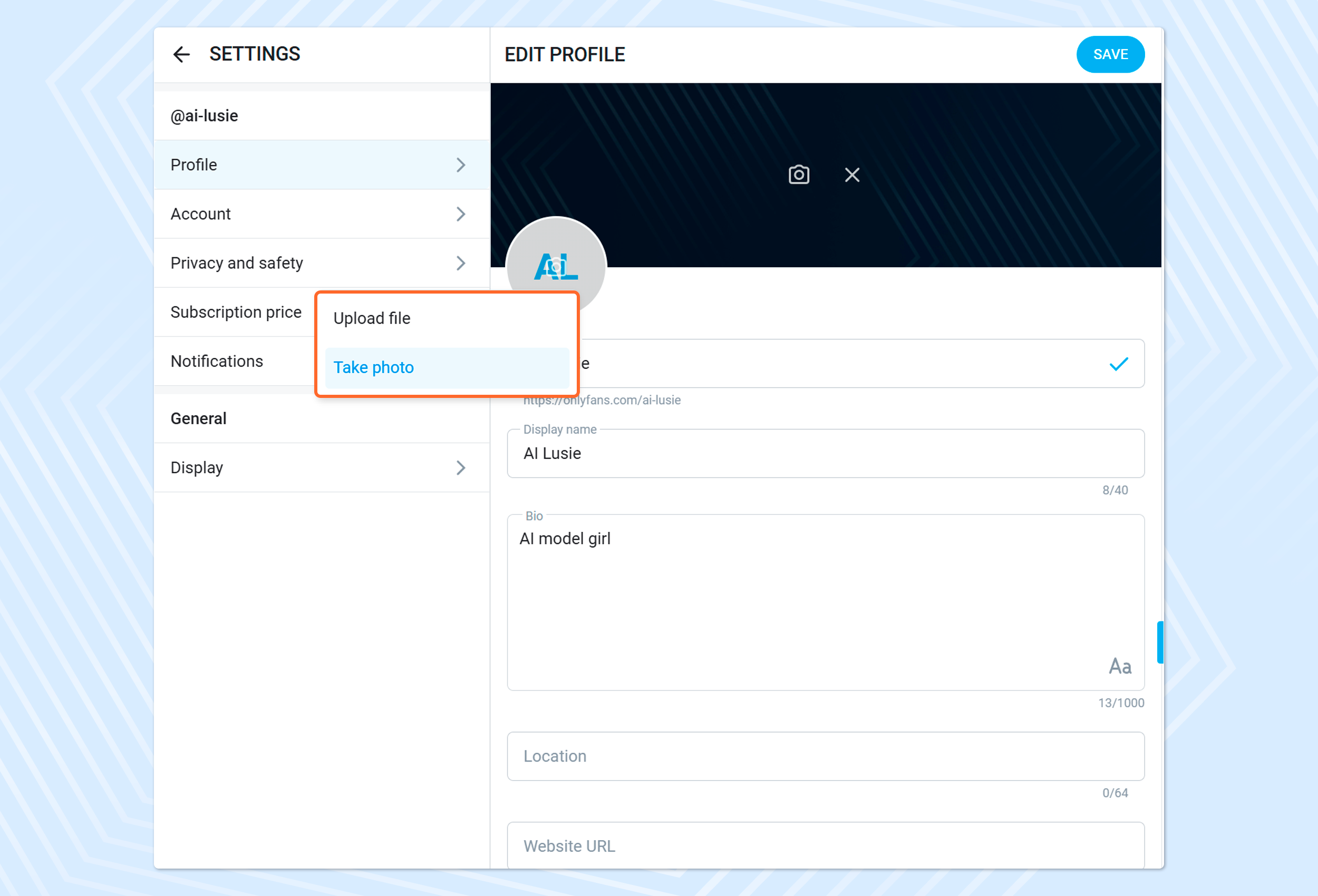
Uploading a new picture is extremely simple. If you need a quick step-by-step guide, here it is.
1. Log in to your OnlyFans account. First things first, head over to the OnlyFans website and log in with your creator credentials.
2. Go to your profile page. Now that you have logged in, you'll need to go to your profile. Typically, you may do this by simply tapping on your current profile picture (it will likely be in the top or bottom right corner of the screen) and clicking on My Profile.
3. Find the 'Edit Profile' button. On your profile page, you can view your profile picture, your banner image, and your bio. Search for an Edit Profile button or link. It is normally placed somewhere near your display name.
4. Click on your profile picture. When you are in editing mode, all you need to do is click on your existing profile picture. A menu will appear with the option to upload a new image.
5. Choose and upload your new photo. A file browser window will pop up, and you can search for files on your computer or phone. Locate the image you want to use, select the image, and either click on Open or Upload.
6. Adjust and save. OnlyFans may also provide you with a feature to crop or resize your photo. Make sure it's centered in the circle preview. After you are satisfied with the appearance, tap the "Save" or "Confirm" button.
And that is all! With your new and fantastic profile photo, it is time to post it on your OnlyFans page. It may take a minute for the update to be reflected across the site, so please don't worry if it doesn't change immediately.
Everybody who looks at your profile will now get a greeting from your beautiful new profile picture. Such a simple yet powerful move in mastering how to create an effective OnlyFans profile picture.
FAQs about OnlyFans Profile Pic ideas
It's perfectly normal to have a lot of questions when setting up your OnlyFans account. Getting the profile picture right is a significant matter, so let's address some of the most common questions people have.
- Must I show my face in my OnlyFans profile pics?
This is most likely the most frequently asked question. The simple truth is: no, you absolutely do not need to show your face. A lot of thriving OnlyFans creators maintain their anonymity. Although revealing your face may help establish trust and a personal connection much quicker, it is not required for success.
However, if you don't want to show your face, you just need to be a little more creative with your profile photo. As we discussed in the ideas section, you could use silhouettes, a mask, or other specific props to cover your face or create a cool logo.
- What is the format of an OnlyFans profile pic size?
The square format is the best. An image of a 1:1 aspect ratio should be uploaded. At least 400 x 400 pixels are recommended, but I highly recommend using a larger square, such as 1080 x 1080 pixels, to ensure it looks sharp everywhere.
In terms of file type, save your image as a JPEG (JPG) or PNG. The two formats are very common and are ideal for the platform. Above all, remember that OnlyFans will use your square image in a circle. Therefore, never forget to center the most crucial element of your image, so it is not cut off weirdly. This is an essential step in creating a polished OnlyFans profile picture since the technical details matter.
- What makes a good OnlyFans profile photo?
The perfect OnlyFans profile picture is a combination of a few essential aspects. It must first be of high quality. This means that it is clear, bright, and not blurry.
Good lighting is key. Second, it must be brand-consistent. It should instantly hint at your niche and personality. Whether you're a fitness guru, a gamer, a model, or anyone, your photo must portray that.
Third, it ought to be engaging. It must be attractive and make them want to open your profile. It might be a familiar smile, an enigmatic appearance, a bold dash of color, or an innovative idea.
Lastly, it must abide by OnlyFans' policies, i.e., no explicit content. A professional, interesting, and authentic picture of your face is the best promotion you can put out. It is the ideal opener to keep fans' attention after they first bookmark your page.
- What should my profile picture be on OnlyFans?
Only you can answer that question, and I can help you figure it out. Your image must represent who you are and what you're about. Just ask yourself the following questions:
These questions will help you find the right profile photo as you answer. If you are a high-energy fitness junkie, then a moving action shot could be just right.
If your content is more personal and aimed at connecting with fans, a cozy, smiling portrait might be the right strategy. Never imitate. Take a moment to reflect on your unique brand. The best profile picture will feel natural to you and align with the incredible content you plan to post on OnlyFans.
Conclusion
Your profile pic isn't just a square; it's your online shopfront—the first thing fans see when they check out your profile.
A high-quality, well-designed image builds credibility and professionalism and creates a sense of mystery that makes people want to visit your content.
The basics should always be followed: a sharp and high-resolution photograph, the most important element centered, and the photo must also capture the distinctive vibe of your brand.
Above all, be authentic. You should make your picture look like you or keep it mysterious enough to attract the people who will be interested in your content.