

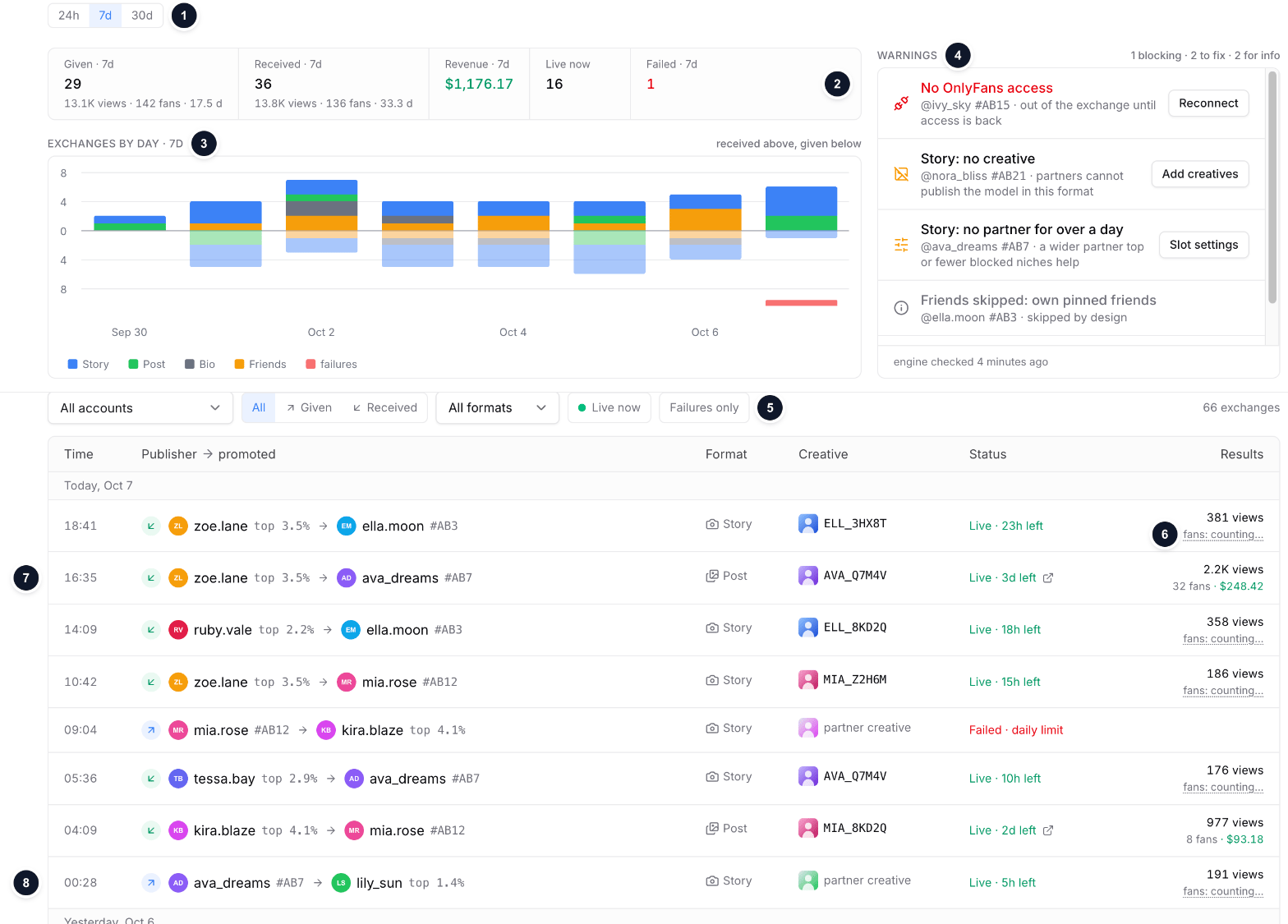
Sample data: the placements page for 7 days
- Period: 24 hours, 7 or 30 days. The counters, the chart and the log follow it.
- Counters: given, received, revenue, live now and failures.
- Chart: received above the line, given below it, split by format.
- Warnings: what holds the exchange across all your slots, the most urgent first.
- Filters: account, direction, format, live only, failures only.
- Story fans are counted about 26 hours after publication.
- Received: a partner published your model; the fans and their revenue are yours.
- Given: your model published a partner; its creative shows as a picture, without a name, and the row shows views or days only.
Monitoring
- Given: publications your models made for partners in the period, with story views, post views, days in bio and days in friends.
- Received: publications partners made for your models in the period, with story views, post views, days and fans.
- Revenue: what the fans your models received in the period have spent so far, net.
- Live now: placements up at this moment, in both directions.
- Failed: your models’ publications that did not go out. A partner’s failed attempt never reached your model and is not shown.
Warnings
Warnings are grouped by cause, with your models behind each one, and ordered by urgency:- Blocking: a model without OnlyFans access. It is out of the exchange until access is back. The row has a Reconnect button.
- Worth fixing: a missing creative for a format (Add creatives), no partner for over a day (Slot settings), a bio problem on the model itself.
- For info: what clears by itself or is skipped by design: a balance pause, a bio or friends skip, a pause after errors, failures the engine routes around.
Log
- Grouped by day, times in 24-hour format, newest first. A failed attempt sits at the time it was tried.
- Publisher → promoted, with a mark of the direction: ↗ your model gave, ↙ your model received. Your model opens its slot; a partner opens its OnlyFans page, next to its top.
- Creative: a preview (click to enlarge). Your own creative shows its name; a partner’s creative shows the picture only. A bio row shows the line that went out.
- Status: live with the time left, ended with how long it was up, or failed with the cause. A live post has a link to the publication.
- Results: views for stories and posts, days for bio and for friends; on received rows also the fans and their revenue.
How each number is counted
Given placements show their views or days: they count toward your model’s balance. The fans and revenue they brought belong to the partner and are not shown.
Who each received fan is and what they spent: the Fans tab on the slot page, see My Slots.